
Where you work
- Setup and the club picture read the same on the web and on the phone; the phone is also where you assess on the pitch.
Setting up the season
- Setup — create the current season, create each team, and enter each team into the season. A team season is what staff are appointed to and players assigned to.
- Players — put players on the roster and add them to a team season from the team page's Roster. Moving a player between teams is a transfer: the old assignment is kept, marked transferred.
- Templates (More → Templates) — shape what coaches are asked (below).
The development framework
- Assessment templates decide what coaches pay attention to, per development stage — Foundation U6–U9, Developing U10–U12, Youth U13–U16, Performance U17–U18. One template is the club's default, used when no stage template matches a team.
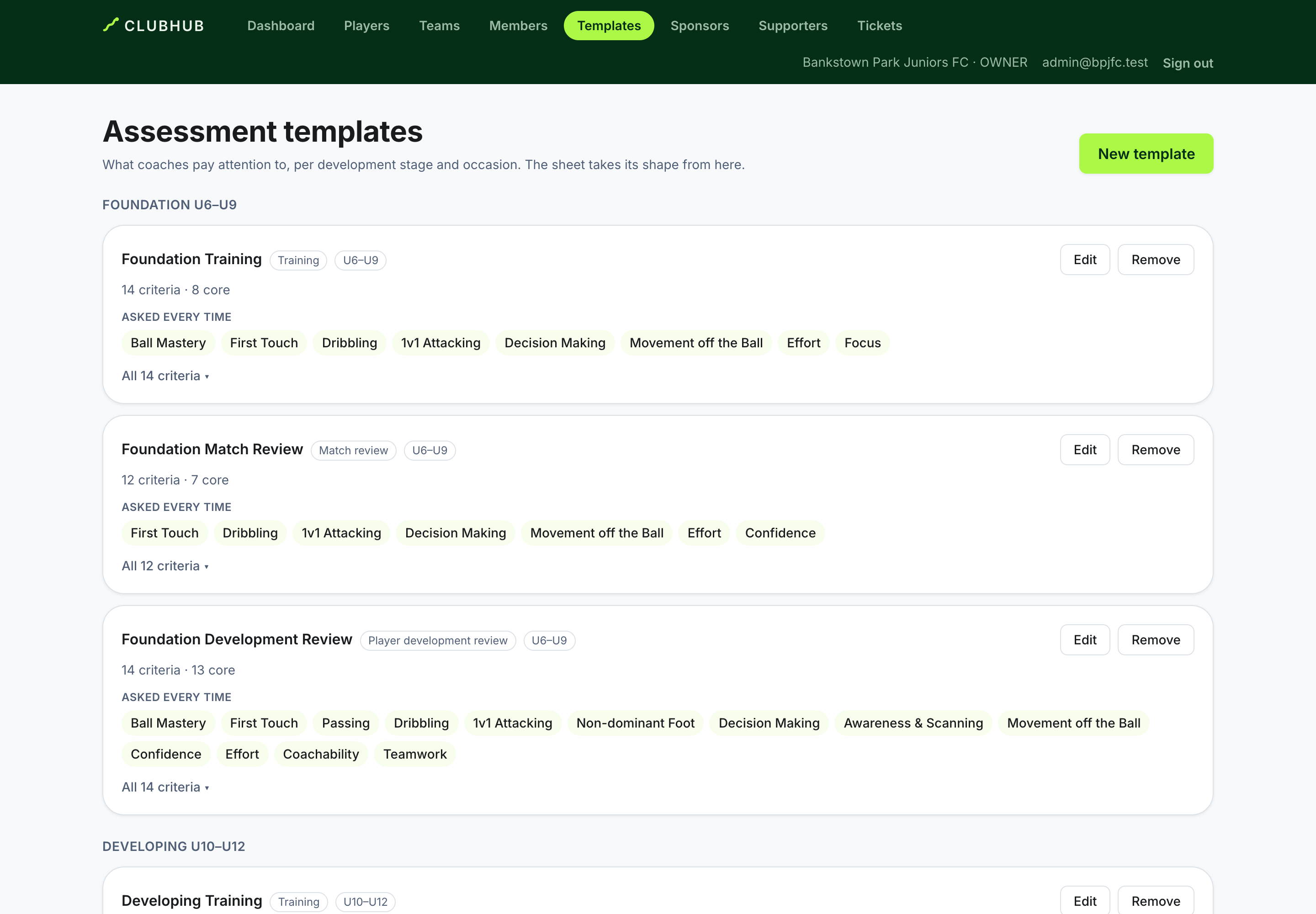
- The skill catalogue is the club's vocabulary; a template is the criteria worth observing at that stage. No template mirrors the whole catalogue.
- Position criteria — goalkeeper, defender, midfielder, forward — are asked only of players in that position.
- The editor walks stage → criteria → core → position, and its Coach preview shows exactly what a coach of that stage will see.
The development loop
- Coaches assess their players in a Player development review, written from what they have seen at sessions and matches.
- The coach chooses each player's Next focus. ClubHub suggests from the evidence; the coach decides — a low score never becomes the focus by itself.
- The coaching aims at that focus until the next review.
- A later assessment is a new record, never an overwrite. Progress is the difference between honest snapshots.
Watching the loop
- Your Dashboard opens on the club's week: the next fixture, every session and match, and where coaches or pitches clash.
- A team's development overview shows Next actions (the highest-value moves, one per player), Needs your attention (who has never been assessed, or not recently), the team picture, and focus themes several players share — worth a session that reaches them all. It measures whether the loop is happening — never how able anyone is.
Notes and visibility
- Every observation a coach writes has an audience. Families and players only ever see notes shared with the family; a coach's staff-only notes stay with staff.
The drill library
- Drills (More → Drills) are shared by the club and linked to the skills they develop. The default library is seeded; add your own.
Scouting: recommendation and decision are different acts
- Scouting (More → Scouting) — coaches write what they saw. A coach recommends: an opinion that offers nobody a place. You decide: the club's answer, recorded on the prospect. Telling the family is a third step, so a decided prospect nobody has spoken to stays on your list as decided, not told.
- A next action due today is due all day, on the club's calendar. It only shows as overdue after midnight at the club.
Retention: intention is not the roster
- Retention (More → Retention) shows four facts per child, never merged into one. What the coach thinks. What the club decided. What the family said. Whether the child is on next season's ClubHub season roster.
- The family's intention and the club's decision are recorded on the record page. Putting a child on the roster happens on the player page (ClubHub season roster → links there), so nothing on the retention screen adds or removes anyone.
- When the facts disagree — the family said yes and nobody put them on the roster, or a child is on the roster the club had not offered a place — the record says Worth a look rather than quietly correcting either side.
- Follow-ups have an owner and a due date. A follow-up due today is not overdue until the club's day ends.
Seasons on the dashboard
Your dashboard names its season — 2026 · 87 players across 5 teams, or a Season selector when there is more than one. Every count and team chip reads that season only, so after a rollover next season's squads do not join this one's.