
Team training
- Team training — the club's session on the pitch. You bring your child; the coach runs it. You see when the next one is.
Getting in
- The club sends an invitation to your email. Open the link.
- Create your account on that address (or sign in if you already have one), confirm the email if asked, then Accept.
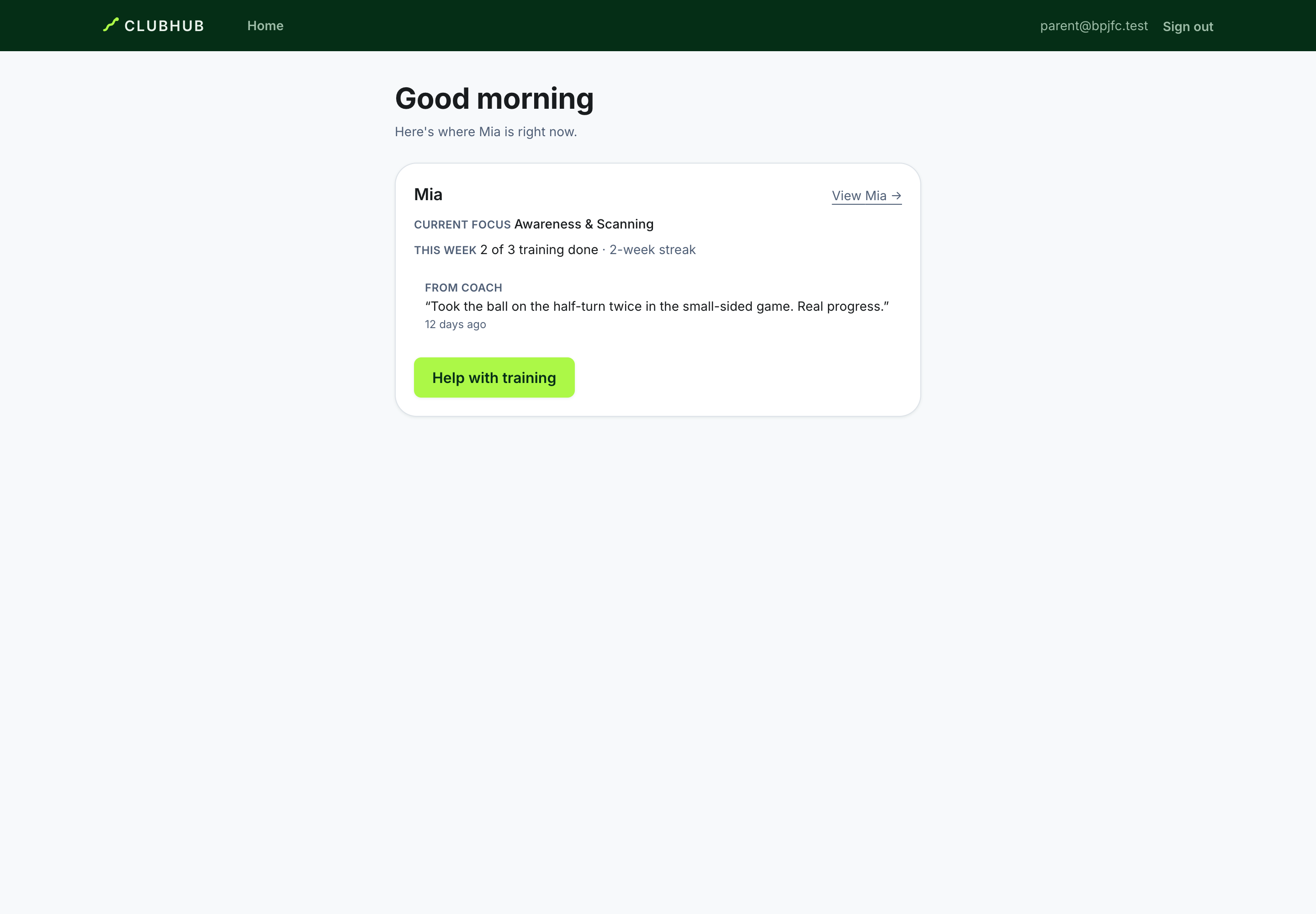
- You land on Family — where each of your children is right now: Next up, Current focus and the latest From coach note.
Your child's page
- Next up — the next Team training or Match: when, and what the session is about. Games and Sessions in the bar show the rest, upcoming and past — the fixtures under Games, the team's training under Sessions.
- Opening a match — tapping it gives you the matchday page: kick-off and when to be there, what the coach has asked of your child, the kit to bring, how the day runs from travel to the ground being free, and getting there — parking, where to watch, and a directions link. The coach and the technical director record who attends; if your child cannot make it, tell the coach.
- Current focus — the one thing the coach chose for your child to work on, in the coach's own words. The coach picks it deliberately; it is never just the lowest number.
- Strengths — what your child already does brilliantly.
- Progress — what went up since the last review, always as words and dots: Needs Support · Developing · Competent · Strong · Excellent. You see levels as words, never marks out of five.
- Skill map — how each area of the game is going.
- Coach says — notes the coach chose to share with the family.
- My story — every match and piece of coach feedback, newest first.
- Match by match — minutes, goals and the coach's match performance. Match form is context — it never changes a development level.
Parent check-in
- After team training or a match, Parent check-in on your child's page: what you noticed, anything that seemed hard, anything the coach should know — with three feelings (effort, confidence, fun).
- Tick the box to write your child's own answers with them; it is shown as "with help", never as written by them alone.
- The coach reads it beside their own notes.
What you will not see
- Other children, other teams, the club's members.
- Notes a coach kept for staff, or the coach-only detail behind the page (raw skill tables, assessment history).
- The session plan the coach runs at team training.
Your account
- Security (under your email) — change password, see every signed-in device, sign out a lost phone, set up an authenticator app if you like.
Coming to training, and how hard it felt
- Attendance — nothing for you to do. Your child says whether they're coming from their own login, and the coach takes the register.
- How hard did that feel? — after a session the register shows your child at, answer 0–10 for how hard it was on their body, with a note for the coaches if you like. You can change it later; a session you skip stays unanswered, never 0. On an iPhone it appears on your family home; on Android, from your child's own login.